Reseller Portal — User Manual
P2P Transfer Platform · English edition
The Reseller Portal is for a commercial partner who brings merchants onto the P2P platform and earns a margin on their usage. As a reseller you create and manage a portfolio of merchants, set the rates they pay, split your margin with sub-agents, brand the experience, and watch your revenue — all without ever touching the merchants' underlying payment flow.
This manual is operator-first. Technical topics — provisioning your own payment gateway and slip-verification provider — live in Appendix A.
Table of contents
- Before you begin — the reseller model
- 1. Signing in
- 2. Dashboard
- 3. Your merchants
- 4. Fees
- 5. Revenue sharing (MDR)
- 6. Reports
- 7. Staff
- 8. Branding & white-label
- Appendix A — Provider credentials (operator / ops)
- Appendix B — Glossary
A note on this edition. A couple of screens document capabilities that depend on your environment — the reseller dashboard is a placeholder, and the reseller-tier payment gateway sits behind a feature flag. Both are clearly flagged where they appear.
Before you begin — the reseller model
What a reseller is. You sit above your merchants commercially, but you are deliberately not wired into them. The link between you and a merchant is a dated assignment, not a hard attachment — so a merchant can be reassigned or moved with zero disruption to their payments.
How you earn — the fee waterfall. Think of it as buying usage wholesale and selling it on:
- The platform sets a base rate — its floor and its own cut.
- You set the merchant's rate, which can never go below that base.
- The gap — merchant rate − platform base = your spread — is your gross margin.
- You can share part of that spread with MDR sub-users (your own sub-agents).
- What's left after their shares is your net.
There are two fee kinds, set independently: PAYIN (on deposits) and PAYOUT (on withdrawals).
Who can do what — reseller roles:
| Capability | OWNER | STAFF | MDR |
|---|---|---|---|
| View merchants & reports | ✅ | ✅ | ✅ (only merchants they share in) |
| Set fees · manage groups | ✅ | ✅ | — |
| Create merchants · manage merchant staff & gateways | ✅ | ✅ | — |
| Manage MDR sub-users & their shares | ✅ | ✅ | — |
| Branding · reseller staff · provider credentials | ✅ | ✅ | — |
- OWNER and STAFF are co-equal — STAFF has the same powers as OWNER. (The original admin-created founding owner is protected: co-owners can't lock it out.)
- MDR is a read-only sub-agent who sees only the merchants they earn a share on.
1. Signing in
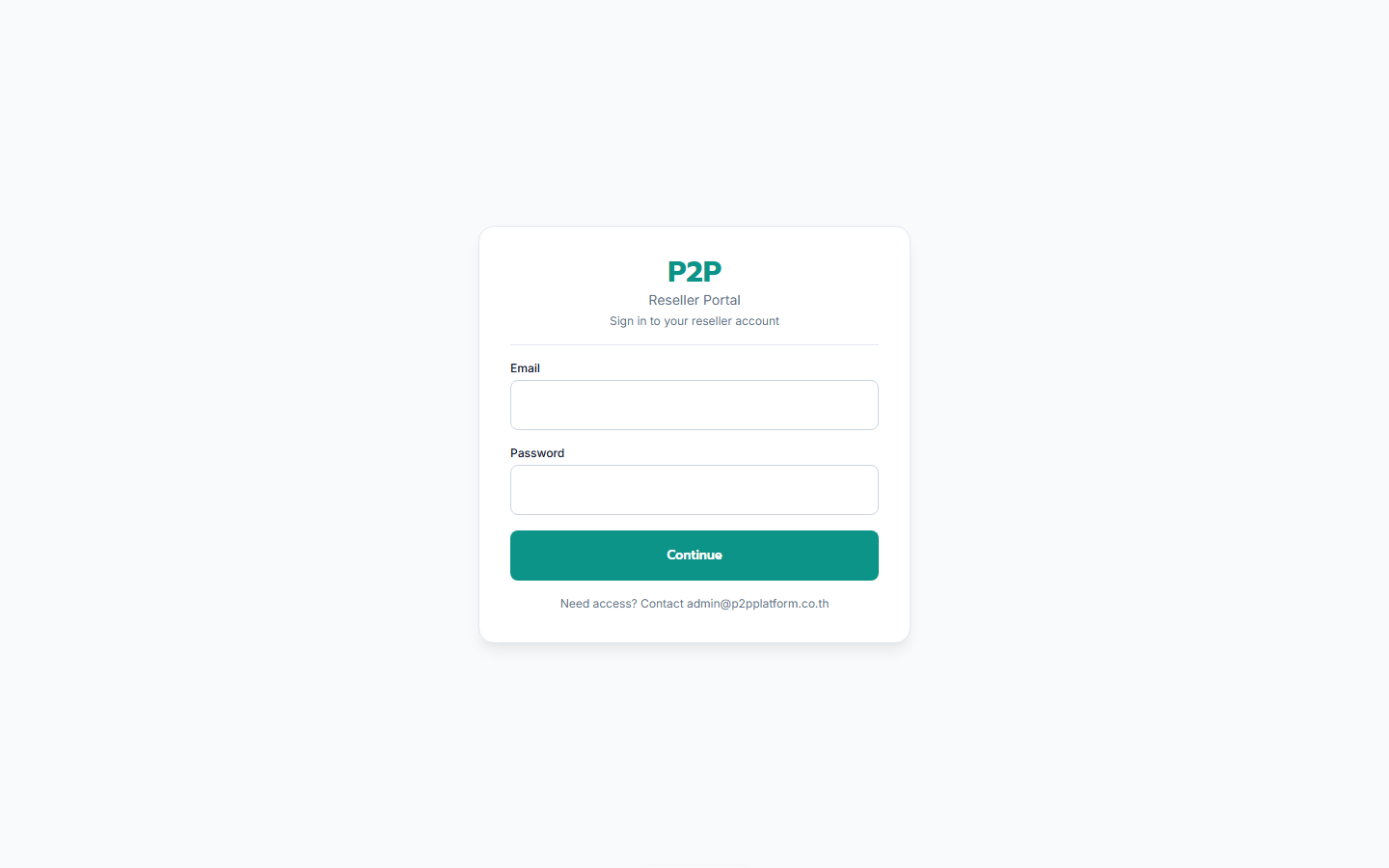
/reseller/login.Two steps, every time, for every reseller user:
- Email + password at
/reseller/login. - 6-digit code from your authenticator app.
First time here? Your first sign-in (with an admin- or owner-issued temporary password) runs onboarding: set a permanent password (at least 12 characters, including a letter and a number), scan the TOTP QR code, and confirm a code.
2. Dashboard
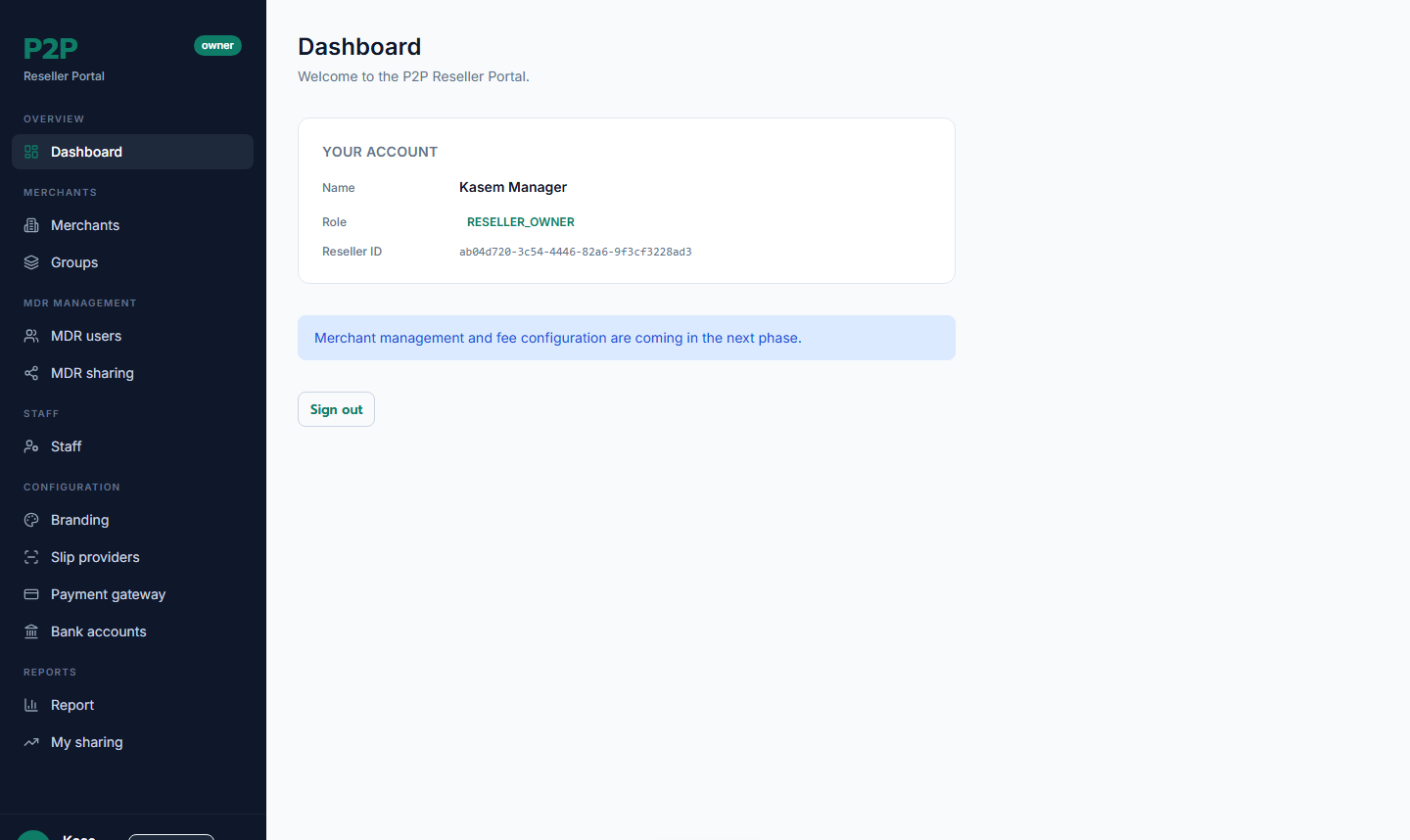
Your landing page after sign-in.
⚠️ Work in progress. The dashboard is currently a simple welcome page. The day-to-day work happens in Merchants, Reports, and Revenue sharing.
3. Your merchants
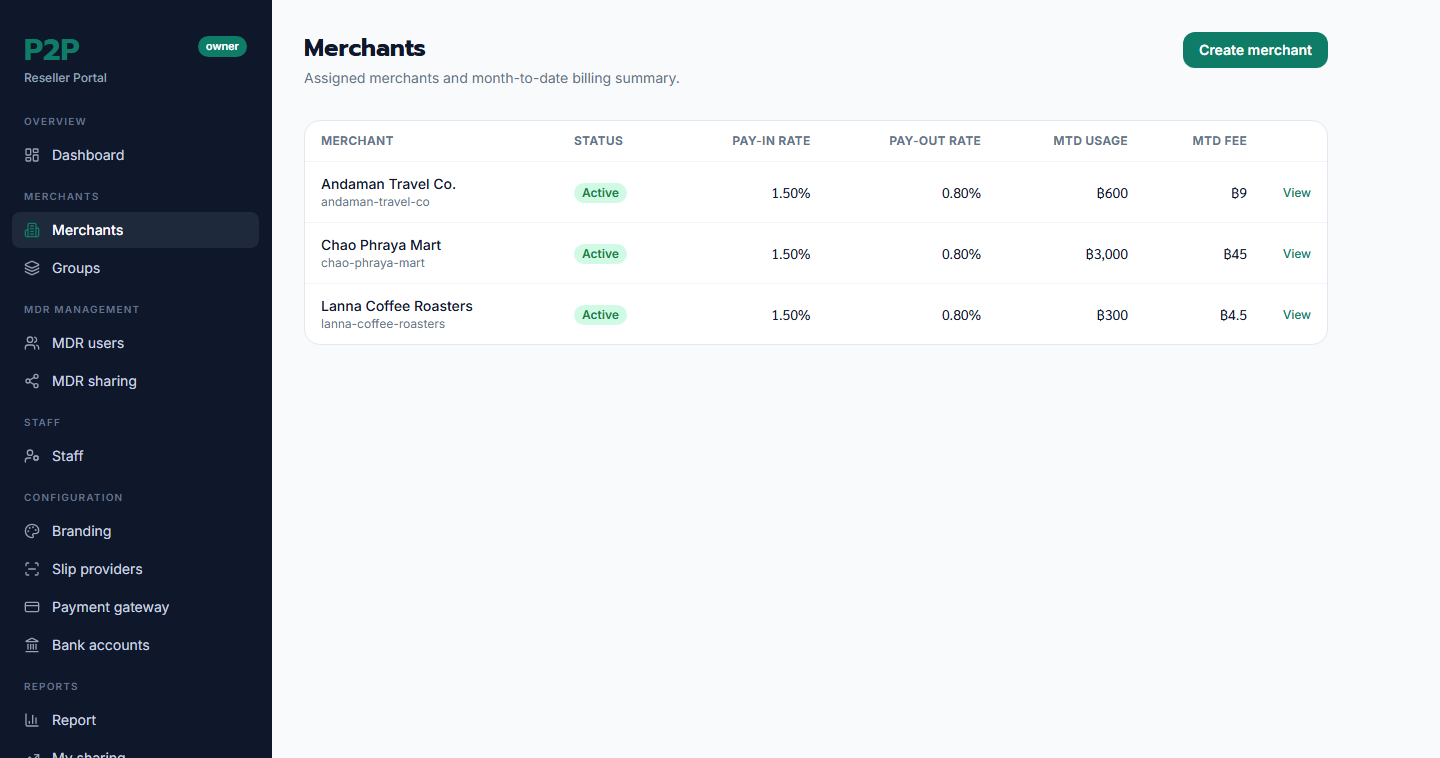
Merchants is your portfolio. Each row shows the merchant's slug and name, status, current PAYIN/PAYOUT rates, and month-to-date usage and fees. Click a row to open its detail page.
Create a merchant
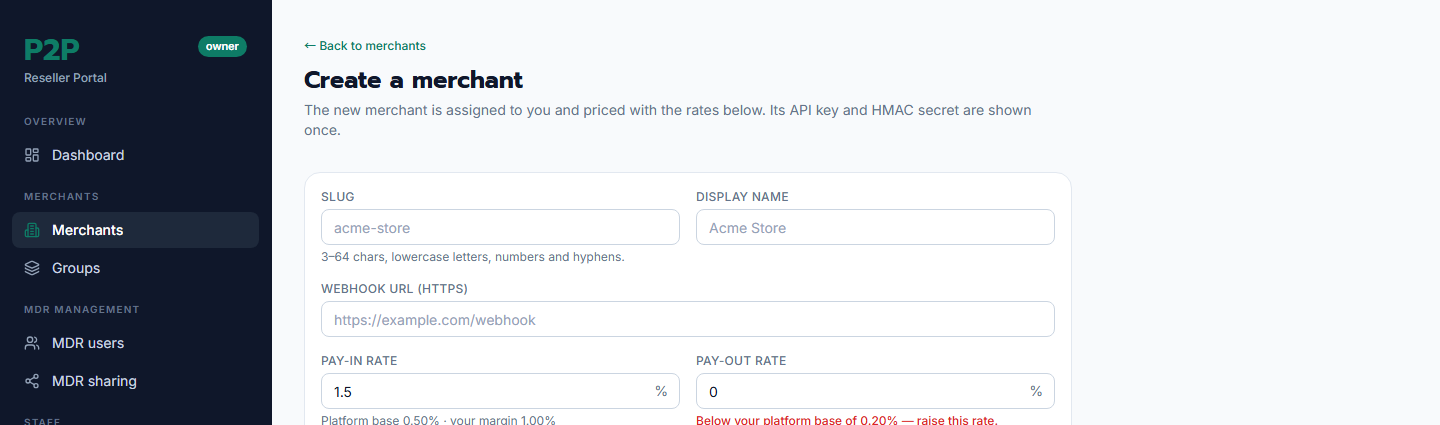
If you're set up as an operator, Create merchant lets you onboard one yourself. Fill in a unique slug, display name, and webhook URL, set the PAYIN/PAYOUT rates (the form shows the platform floor and won't let you go below it), and accept the DPA. On success the merchant's API key and HMAC secret are shown once — copy them immediately and hand them to the merchant. If the DPA isn't accepted, the merchant starts suspended; otherwise it's active right away.
Merchant detail
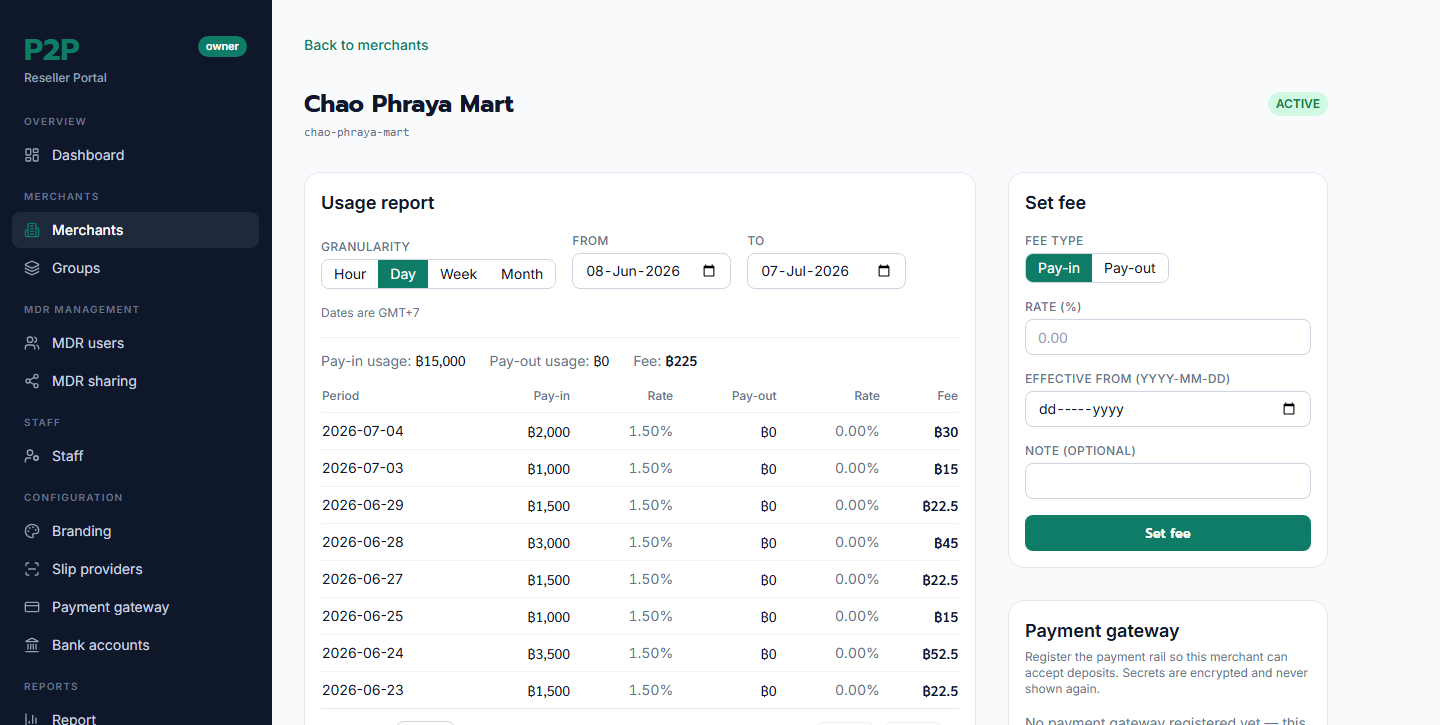
A merchant's page brings together everything about them: a usage report (day / week / month, GMT+7), their fee-schedule history, their sub-merchants, and — for authorised users — a Set fee form. If you're an operator, you can also register that merchant's payment gateway and invite their back-office staff from here.
4. Fees
Setting a merchant's rate
From a merchant's detail page, Set fee changes the PAYIN and/or PAYOUT rate from a chosen date. Rates are entered in basis points (shown as a %) and are floored at the platform base — try to go below it and the form rejects the change, showing the floor. Fee changes are append-only history: each change writes a new dated row and affects only usage from its effective date onward.
Groups
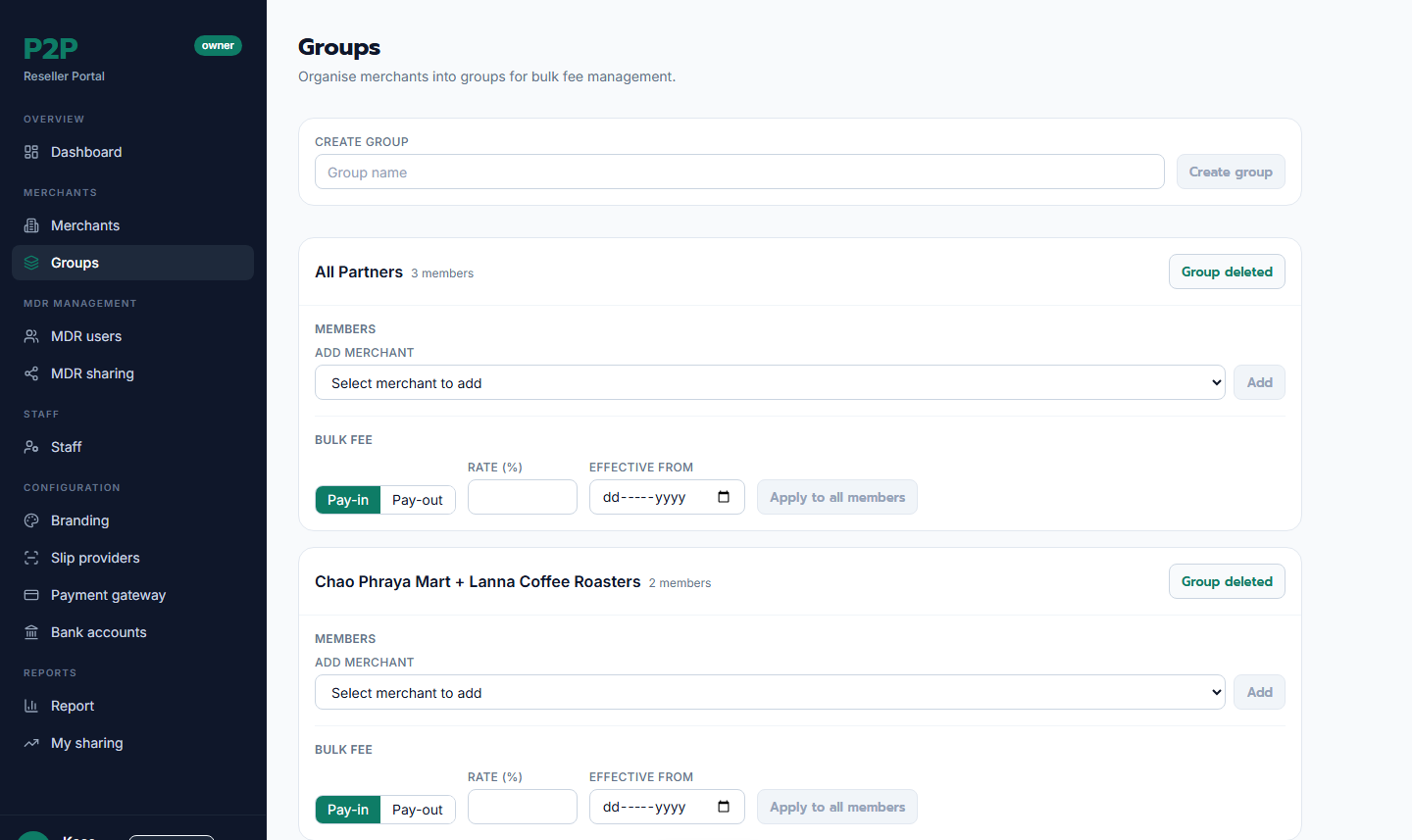
Groups let you manage many merchants at once. Create a group, add or remove members, then apply a bulk fee to every member in one action (each still floored at the platform base). A rate set directly on a merchant overrides its group rate.
5. Revenue sharing (MDR)
This is how you split your spread with sub-agents.
MDR sub-users
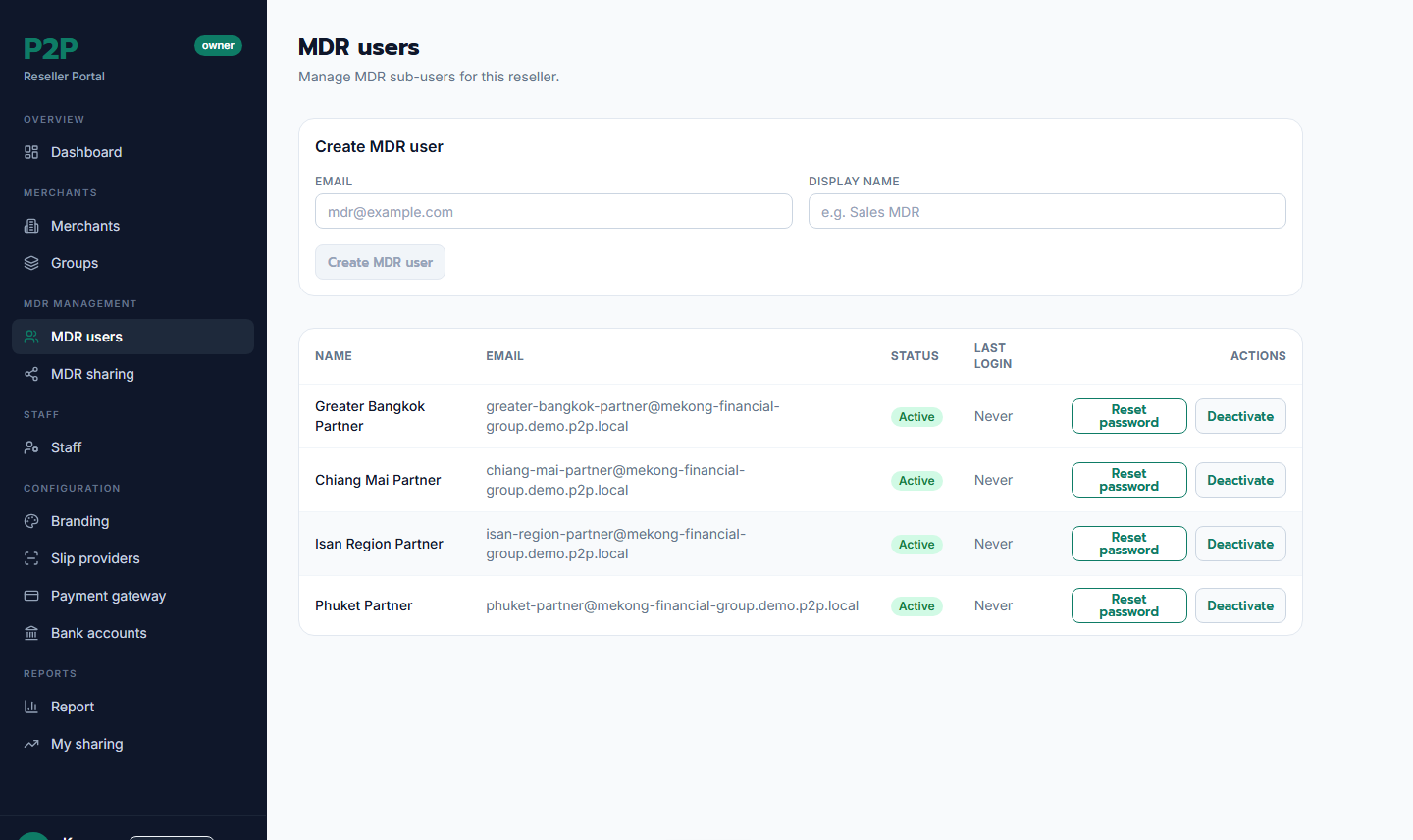
MDR users are your sub-agents. Create one with an email and display name — the system shows a one-time temporary password to hand over. You can reset a sub-user's credentials or deactivate them here.
Assigning shares
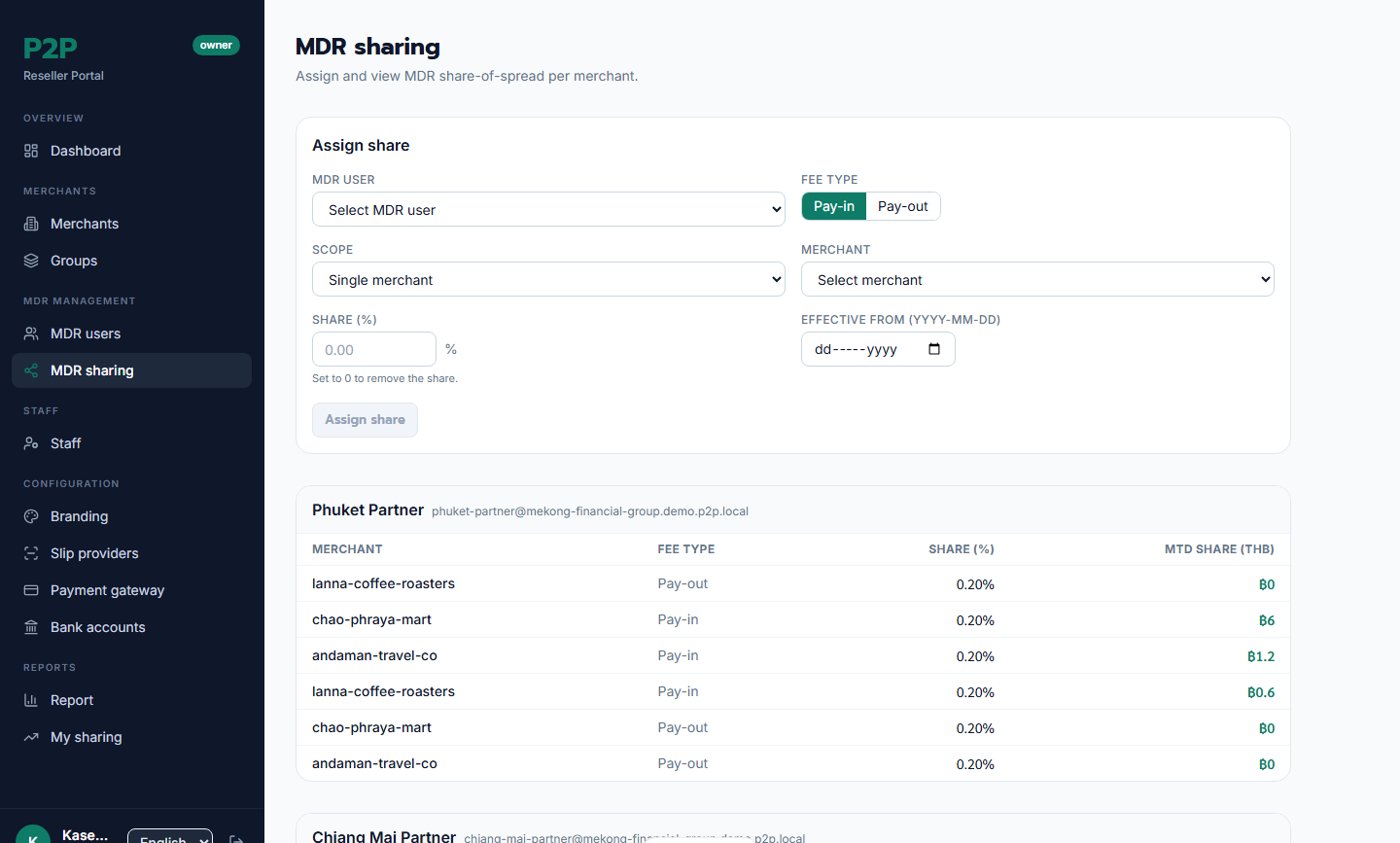
MDR sharing is where you grant a sub-user a percentage of your spread — per merchant or per group, per fee kind (PAYIN/PAYOUT), from a chosen date. There's a hard rule: the sum of all shares on a merchant can't exceed your spread — the system stops you if you try. Set a share to 0 to remove it. The overview below groups shares by sub-user and shows each one's month-to-date earnings.
My sharing (for sub-users)
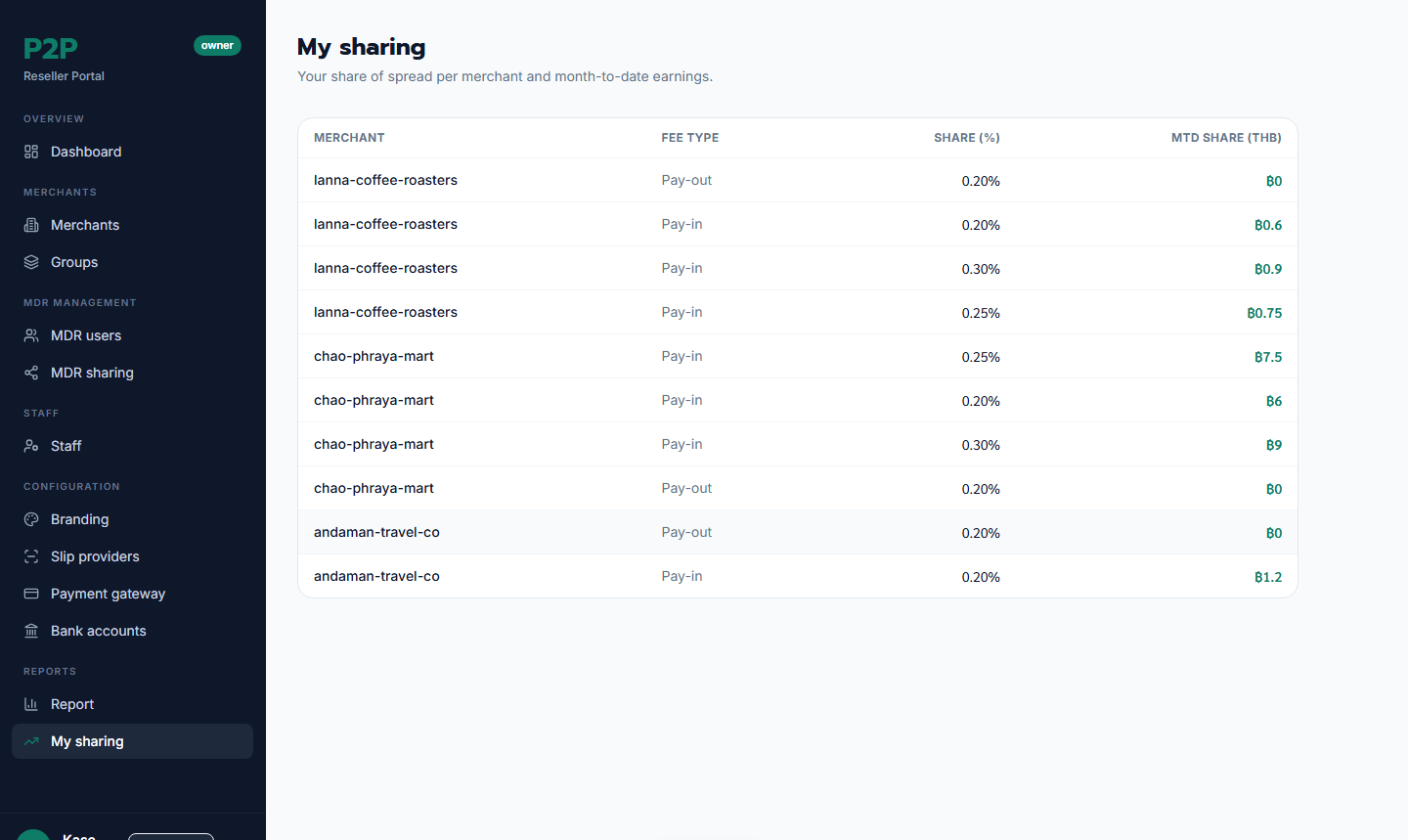
My sharing is the sub-user's own view: the merchants they earn on, their share %, and their month-to-date earnings. It's read-only — only an owner changes shares.
6. Reports
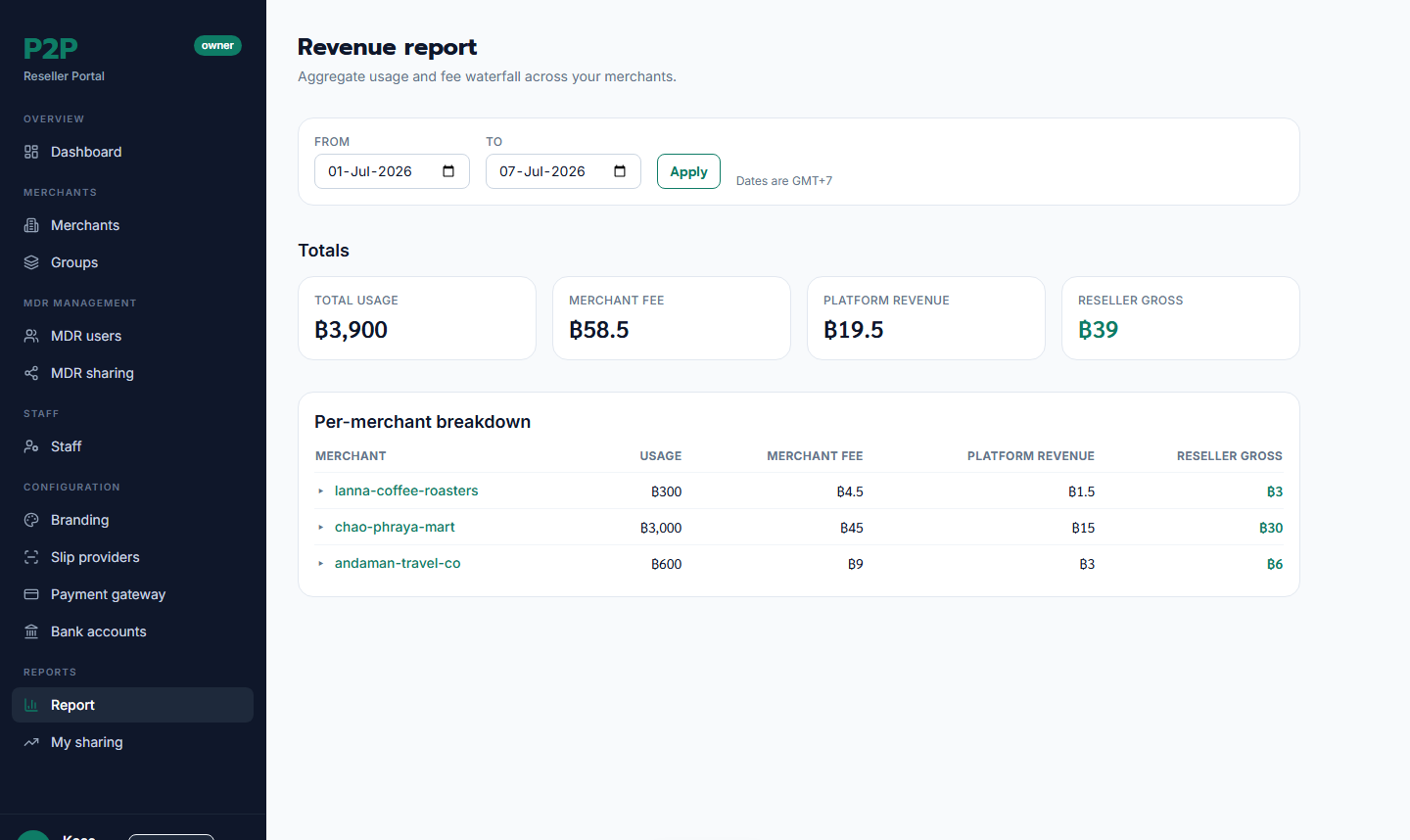
Report is your revenue summary for a date range (GMT+7). The headline cards show total usage, total merchant fee, total platform revenue, and — the number that matters — your reseller gross. A per-merchant table breaks it down. (Your sub-agents' shares are shown on the MDR sharing screen, per merchant.)
7. Staff
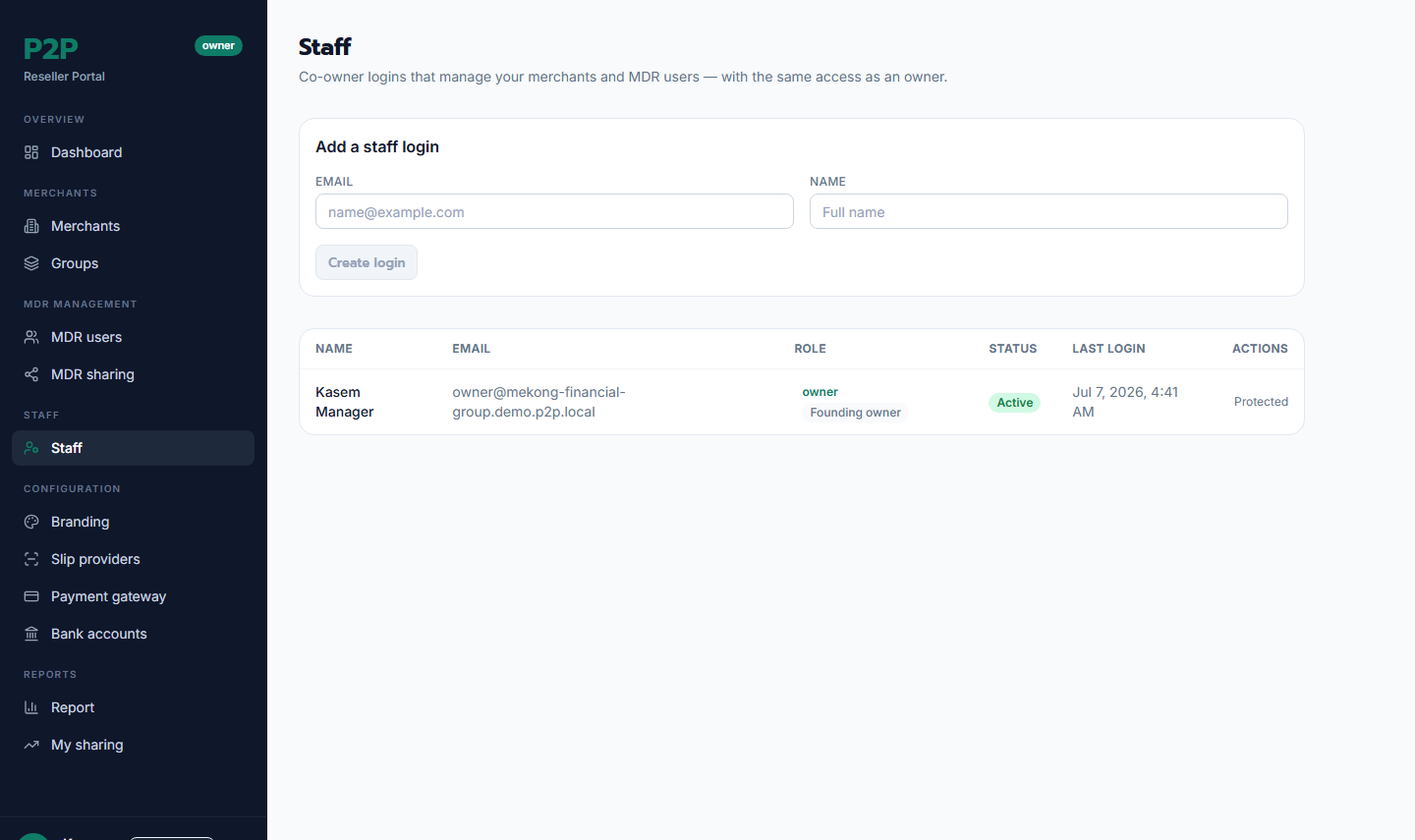
Staff is where an owner adds co-owners (RESELLER_STAFF) — they have the same powers as you. Create one with an email and display name (a one-time temporary password is shown), and reset or deactivate them later. The founding owner is protected and can't be modified by co-owners.
8. Branding & white-label
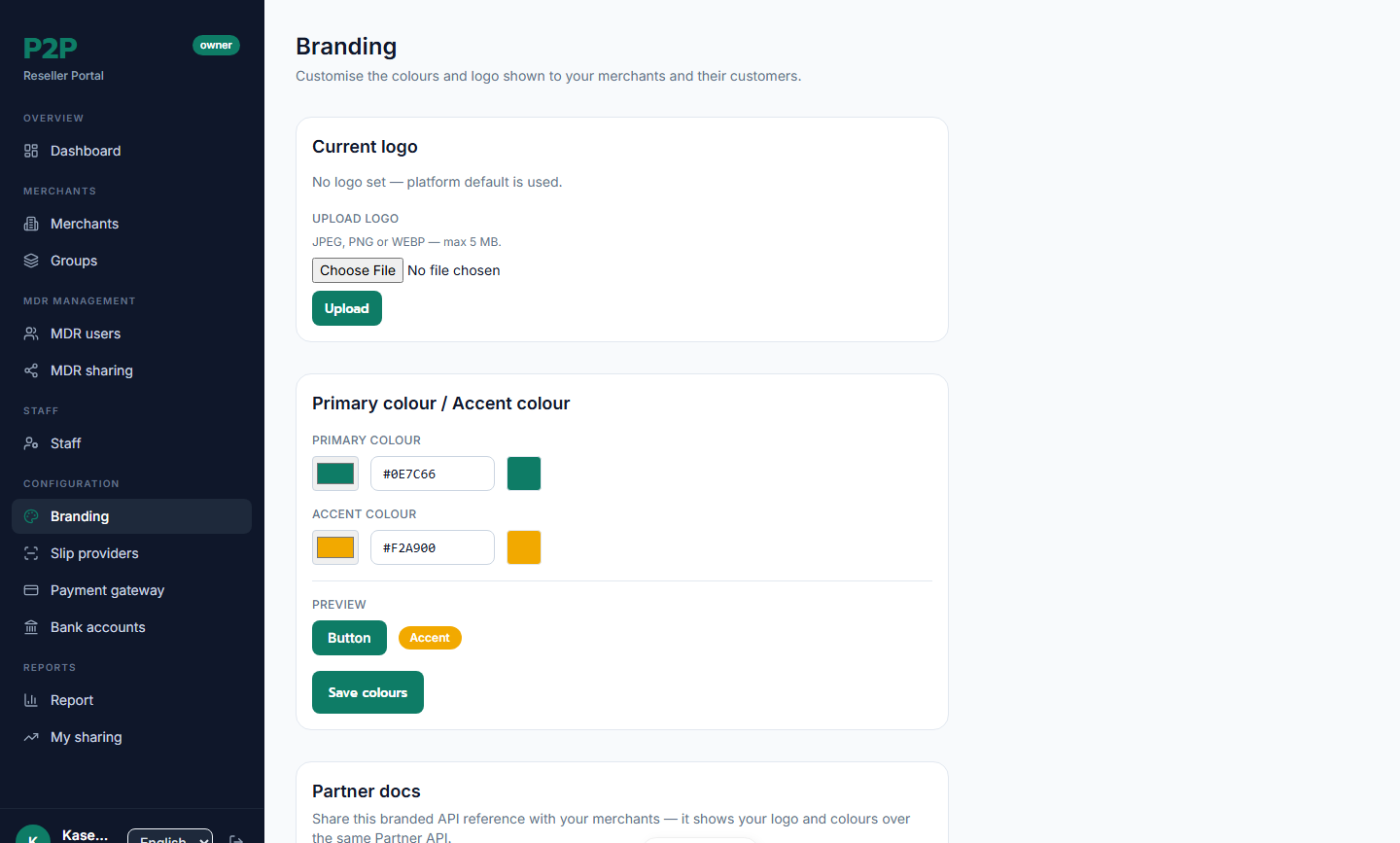
Branding makes the experience yours. Upload a logo and set your primary and accent colours (with a live preview). Your brand flows through to your merchants' hosted checkout pages, their back-office UI, and a branded public API-docs page whose URL is shown here. If anything's missing, the platform default is used — branding never breaks a page.
Appendix A — Provider credentials (operator / ops)
If you run as an operator, you can supply your own payment rails and slip verification, which your merchants inherit automatically (unless a merchant has its own).
Reseller payment gateways
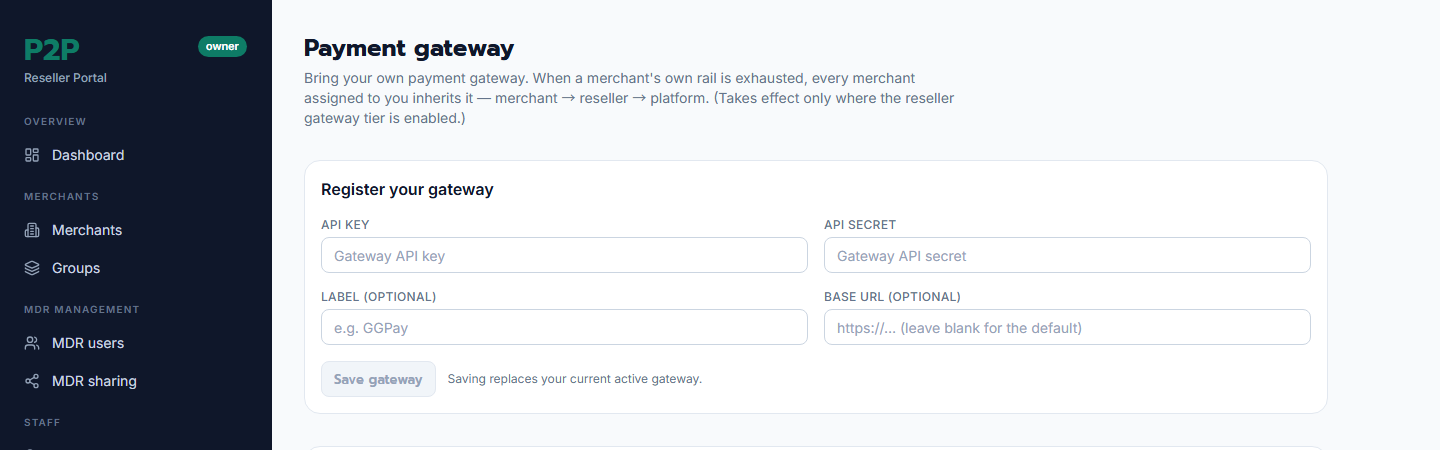
Register your reseller-level payment-gateway credential (API key, secret, base URL). Every merchant assigned to you routes deposits through it unless they have their own. You can test the connection and activate or deactivate the credential. Secrets are stored encrypted and never shown.
⚠️ Work in progress. This reseller-tier gateway is behind a feature flag and may be off by default in your environment.
Reseller slip-verification providers
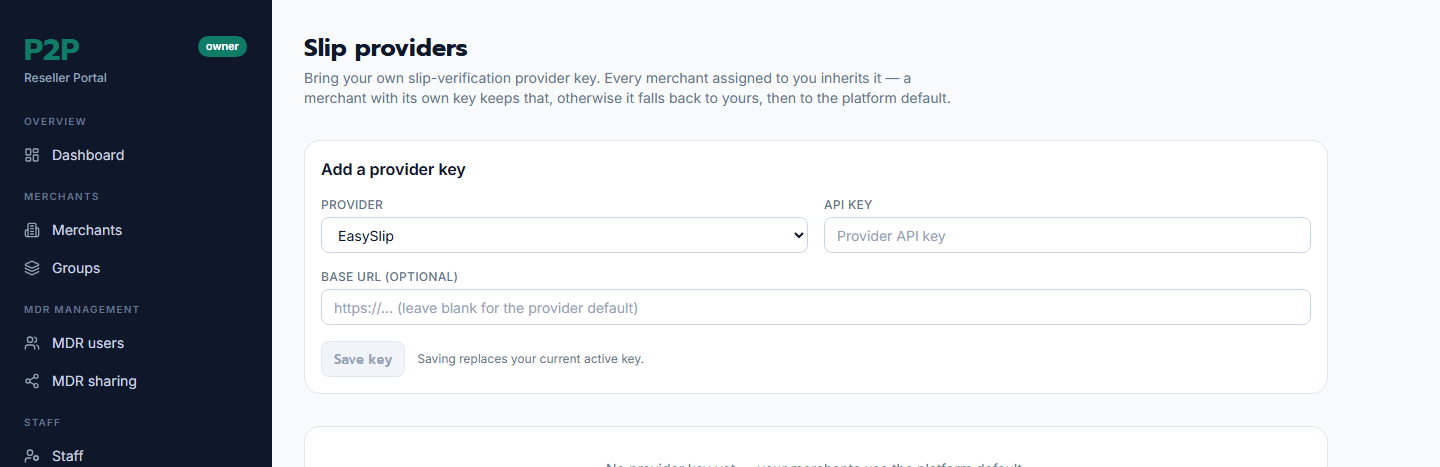
Register your own slip-verification provider (for example, PromptPay or TrueWallet). Your merchants inherit it for verifying deposit slips, following the resolution order merchant → reseller → platform. Test it before activating; registering a new one rotates out the previous active provider.
Appendix B — Glossary
- MDR — Merchant Discount Rate; here, the rate you charge a merchant and the margin you earn.
- Spread — the merchant rate minus the platform base; your gross margin.
- PAYIN / PAYOUT — the fee kinds, charged on deposits / withdrawals respectively.
- MDR sub-user — a sub-agent you grant a share of your spread.
- Group — a set of merchants you manage and fee together.
- Assignment — the dated link between you and a merchant (not a hard attachment).